Main › Blog › Hyperliquid beginner guide: how to launch Hyperliquid bot on goodcryptoX?
Hyperliquid beginner guide: how to launch Hyperliquid bot on goodcryptoX?
In recent months, the future dominance of perpetual DEX trading has become increasingly clear, with Hyperliquid emerging as the undisputed pioneer and one of the leading protocols in the sector.
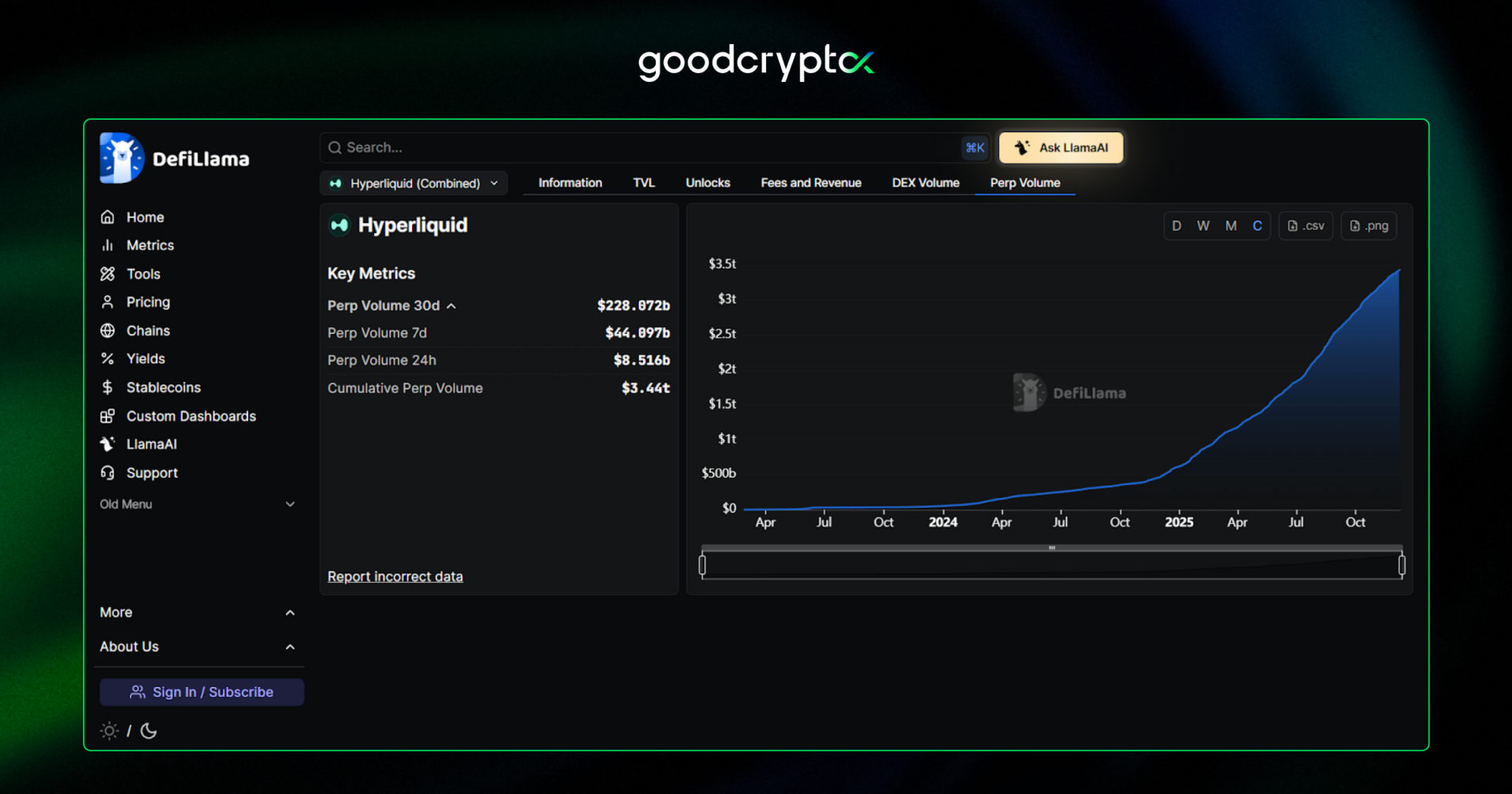
Launched in 2023, the project later conducted one of the largest token airdrops of the current bull market cycle and has since attracted massive attention from DEX traders, surpassing $3.3T in cumulative perp trading volume in just two years.Source:DeFiLlama
However, as this tool becomes more powerful and popular, you need increasingly advanced trading strategies and tools to stay competitive in the emerging perp DEX market. That’s exactly what Hyperliquid trading bots are designed for. They allow you to automate most of your trading routine, eliminate human error from your trades, and enhance your trading arsenal by enabling strategies that would be impossible to replicate manually.
In this article, we’ll break down how to start trading on Hyperliquid using goodcryptoX bots and share some practical tips for setting up your own Hyperliquid bots.
But first, what is Hyperliquid crypto trading platform?
what is Hyperliquid?
Hyperliquid is a perpetual DEX and L1 network built around two core modules – HyperCore and HyperEVM. HyperEVM functions similarly to any other EVM-compatible L1 chain, while HyperCore is dedicated exclusively to perpetual DEX transactions, delivering CEX-level low fees and lightning-fast execution, while offering all the same benefits of decentralized perpetual trading.
As a result, it has become the first platform that requires no KYC verification to sign up and trade across more than 190 perpetual pairs, including the hottest pre-market listings such as Plasma, Monad, World Liberty Financial, MegaETH, and other popular pre-TGE projects.
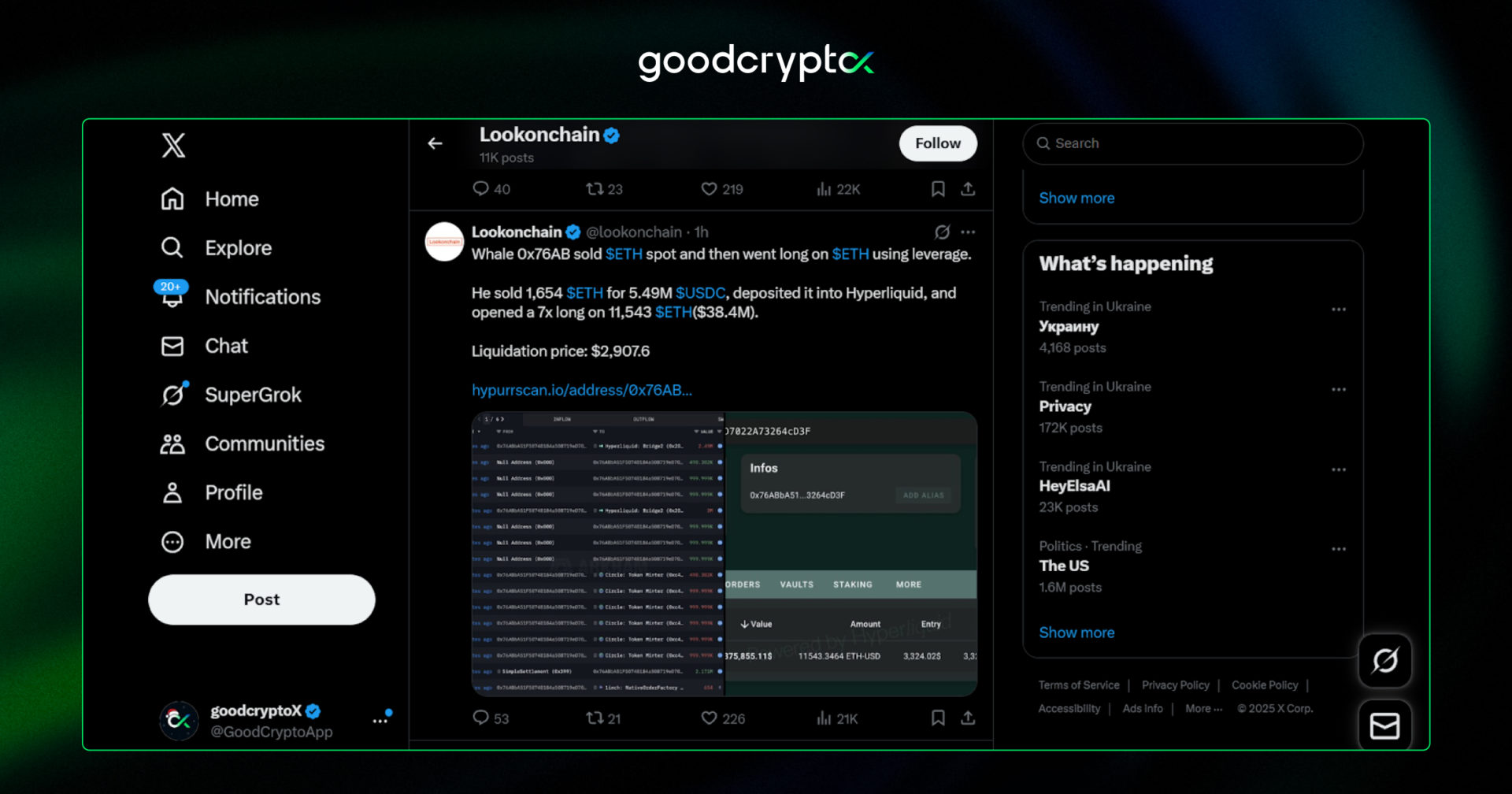
On top of that, all Hyperliquid trading activity is fully trackable on-chain, often sparking discussions across social media. The Hyperliquid approach effectively eliminates insider trading and market manipulation, enabling users to make more data-driven trading decisions.Source: Lookonchain
However, as the market becomes both more rational and more complex, the solutions must evolve accordingly. That’s where trading automation comes in. With the Hyperliquid trading bot by goodcryptoX, you can eliminate routine tasks from your trades and focus on what truly matters most.
how to start trading on Hyperliquid with goodcryptoX?
Getting started with Hyperliquid bot trading is simple.
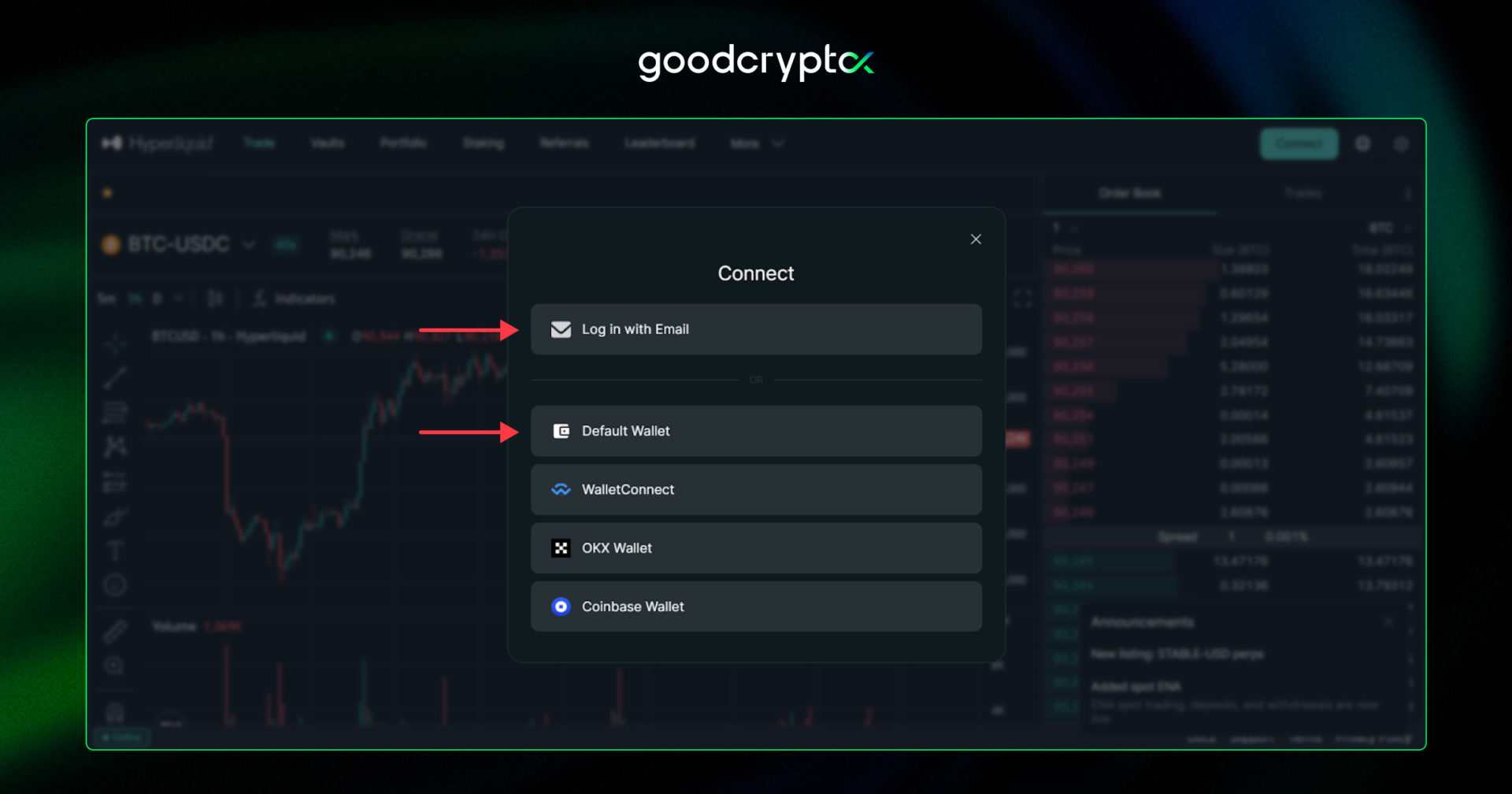
If you are new to Hyperliquid DEX, the first step is to create an account. Go to Hyperliquid DEX and sign up on the platform either via Web3 Wallet or email (MetaMask is recommended):
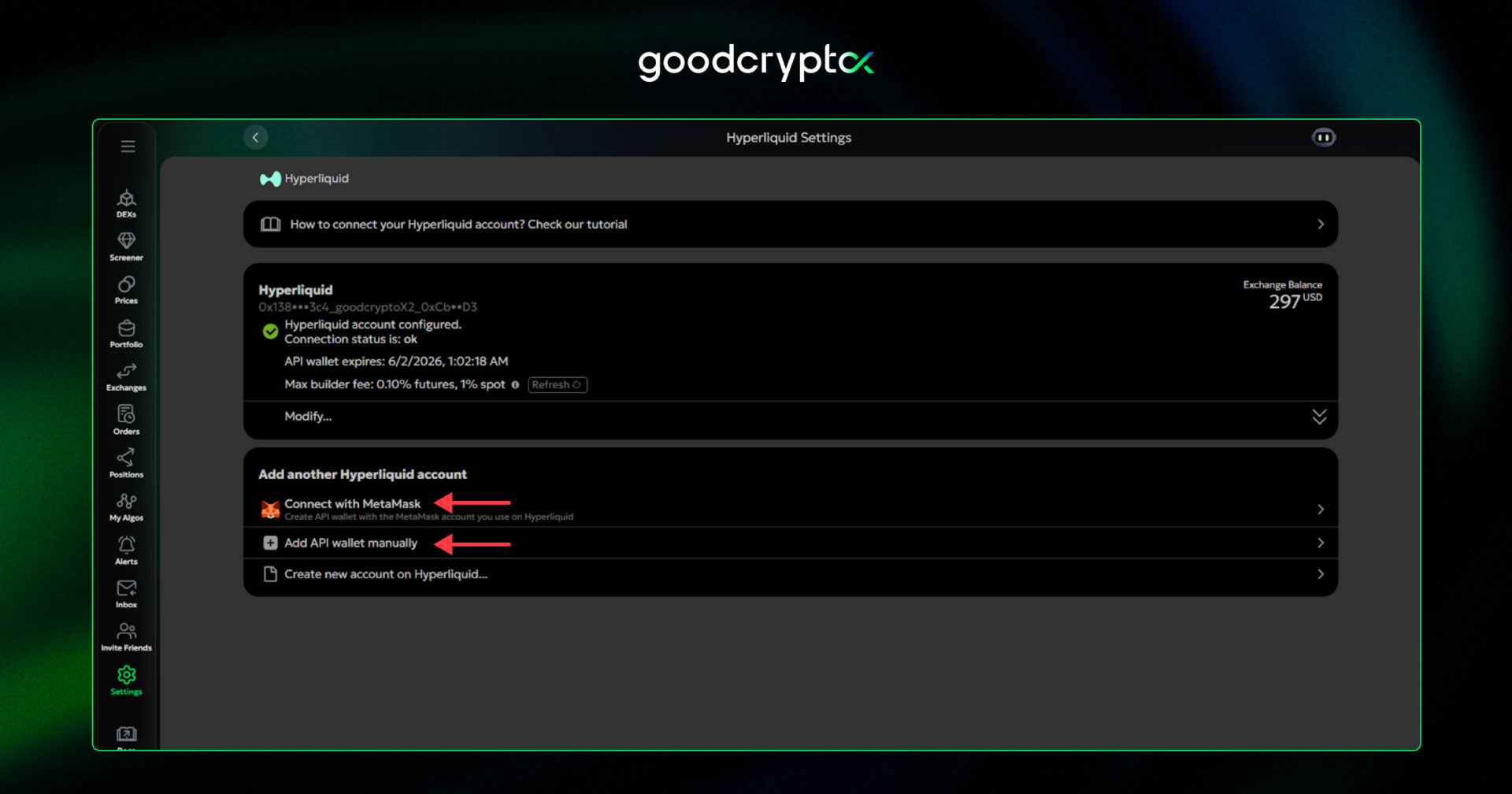
Then, you have to connect the Hyperliquid API wallet to goodcryptoX, with one of the options:
Automatically via MetaMask: If you control your Hyperliquid account with MetaMask, you can seamlessly connect it in just a few clicks.
Manually for other wallets: If you use any wallet other than MetaMask, you can set up the connection with goodcryptoX manually. Alternatively, you can add that wallet to MetaMask.
Export Hyperliquid account if you control it via email: If you created your Hyperliquid account with an email, export the wallet Hyperliquid created for you from the exchange’s settings and add it to MetaMask.
The full guide on configuring the Hyperliquid account can be found here.
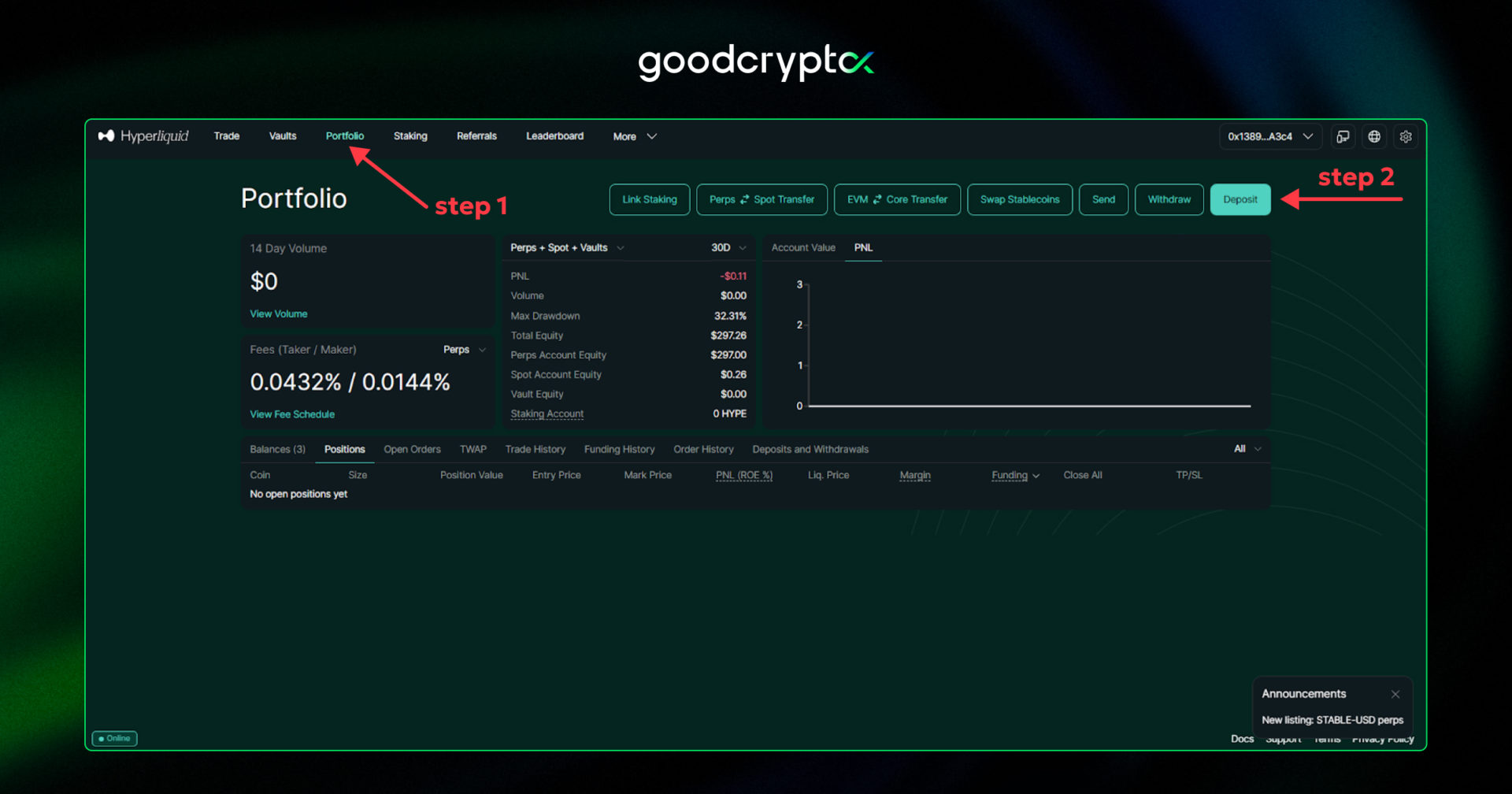
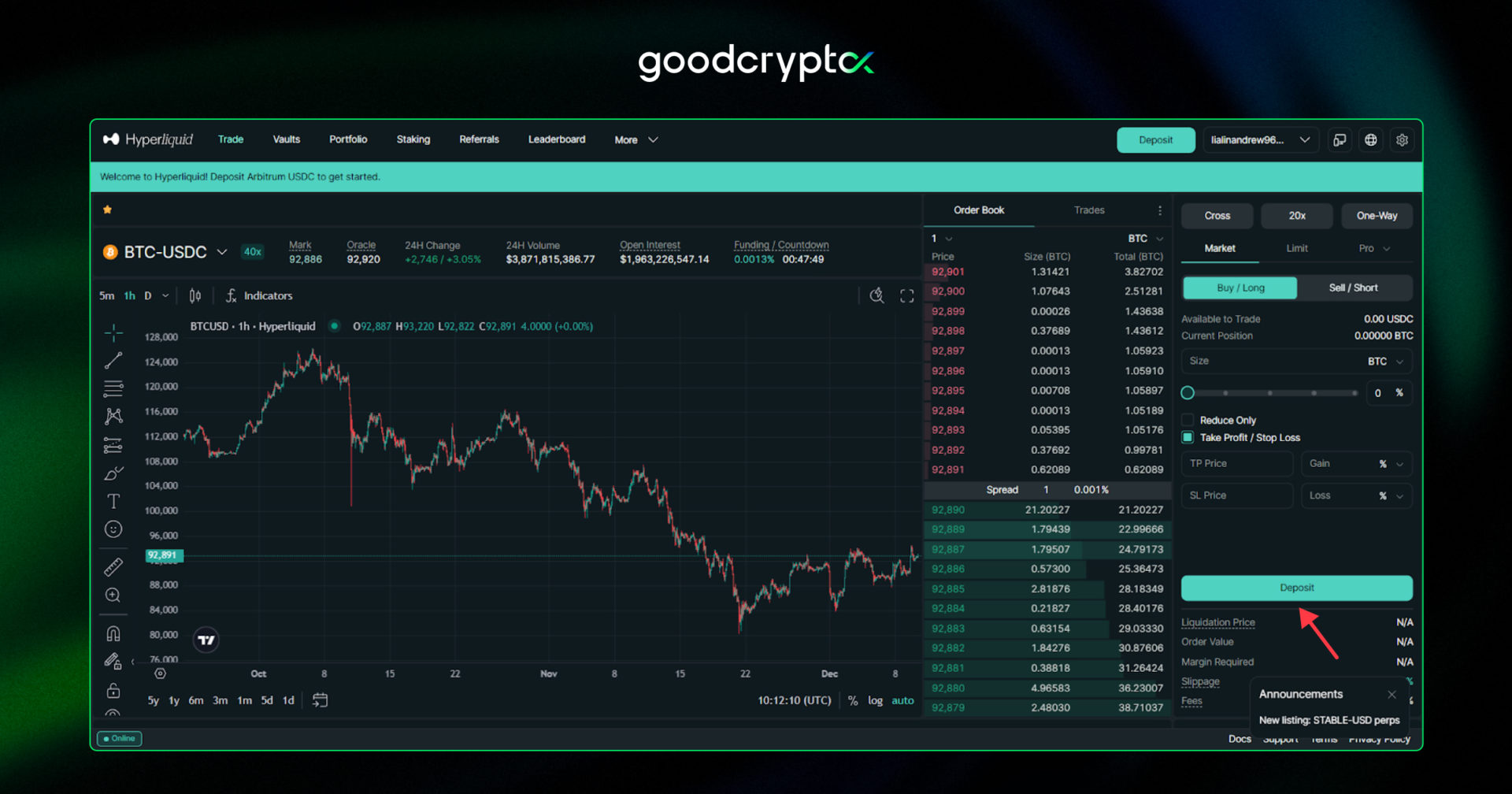
Finally, you have to fund your Hyperliquid account. To do this, acquire $USDC in your connected Web3 wallet on the Arbitrum network. Then, go to the “Portfolio” section and click the “Deposit” button.
If you signed up via email, the “Deposit” button will appear next to the “Address” button. There, you’ll find your Arbitrum deposit address for $USDC – send funds to this address to start trading.
Congrats – now you are ready to use trading bot Hyperliquid on goodcryptoX!
trading with Hyperliquid bots: step-by-step guide
Once your account is set up, the next step is running your Hyperliquid bots on goodcryptoX. In our app, you can automatically execute multiple Hyperliquid trading strategies, tailored to your trading plan and current market conditions:
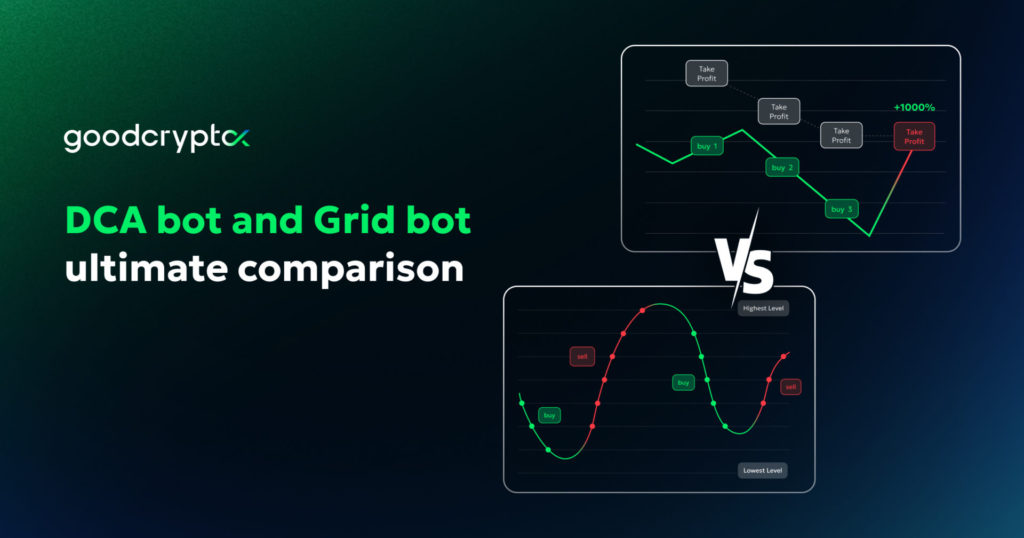
DCA bot: Perfect for earning on market volatility and accumulating long-term holdings. It automatically averages down your position and adjusts your Take Profit to increase your chances of turning profitable.
Grid bot: Great for sideways markets. It allows you to capitalize on every price bounce between key support and resistance levels, by setting and maintaining a grid of equal-distance buy and sell orders within a chosen price range.
Infinity trailing bot: A great fit for catching reversals. It automatically trades with trailing buy and sell orders, entering when momentum begins and exiting once it fades.
TradingView Strategy bot: It is more than just triggering orders or bots with TradingView alerts. With the TradingView Hyperliquid bot, you can trigger or cancel any order or launch a bot with TradingView strategies and technical indicator alerts. (coming soon)
On top of that, goodcryptoX offers a powerful set of advanced manual trading orders, including Hyperliquid trailing stop order and its variables, TP + SL combos, multiple Take Profit & Stop Loss following, and more, which can help achieve even better results with our Hyperliquid algorithm trading bot.
Want a deeper dive into bot setups and manual order use cases? Check out our comprehensive guide: “How to Make Money on Hyperliquid.”
So, how do you set up Hyperliquid trading bots? Let’s start with the DCA bot.
#1: launching Hyperliquid DCA bot
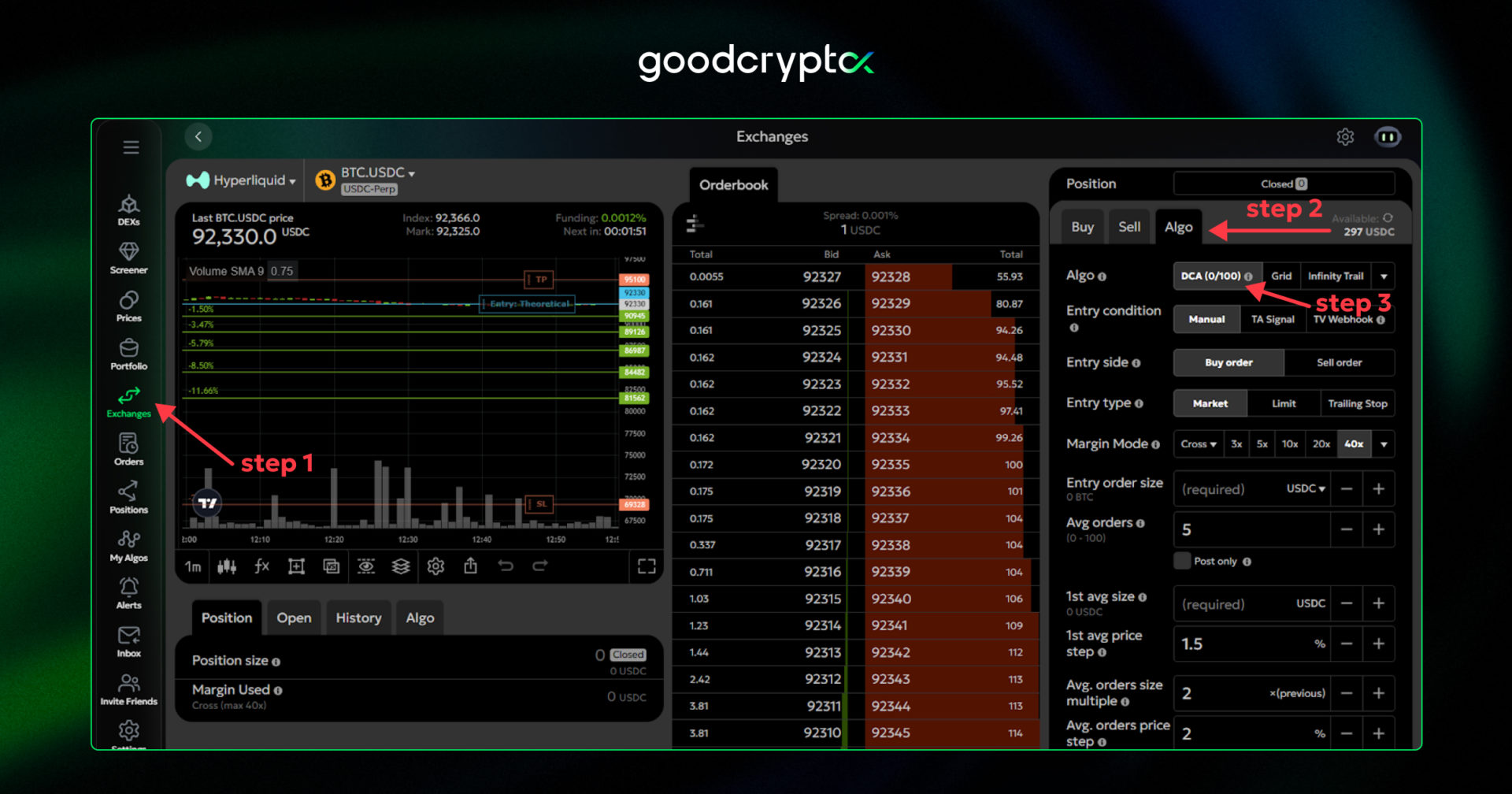
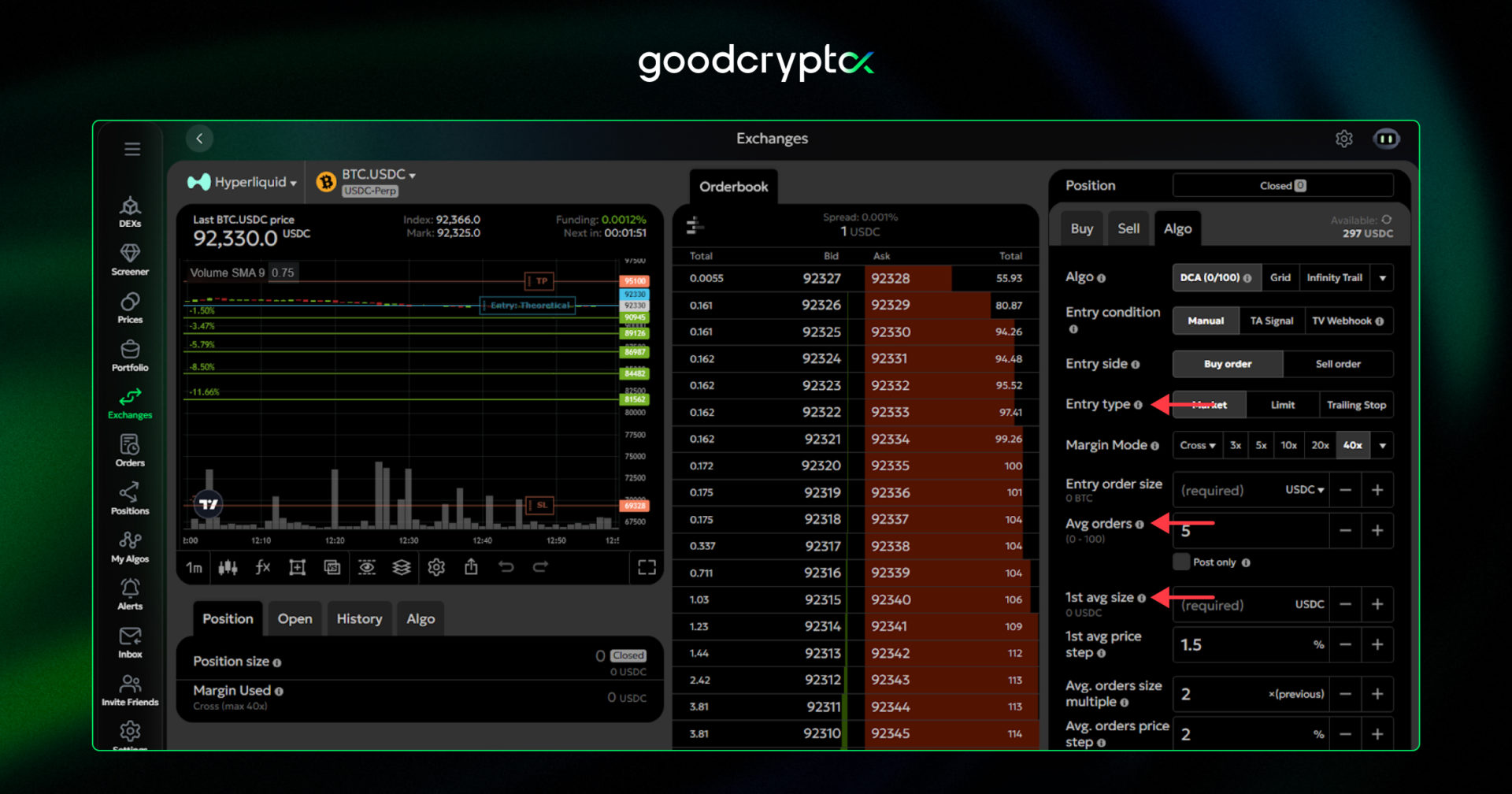
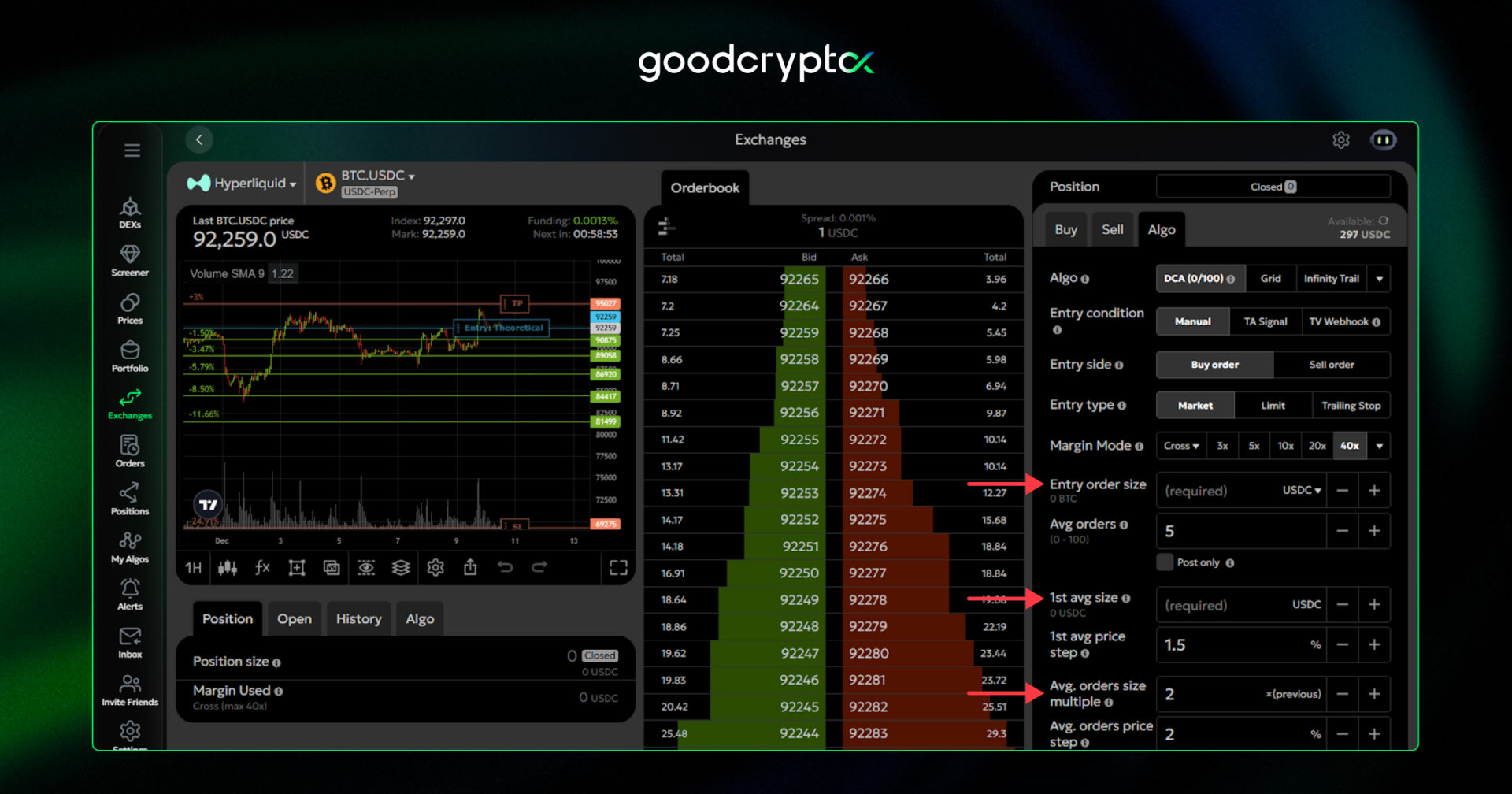
Go to Exchanges, navigate to the Algo section, and choose the DCA bot. There, you’ll see multiple bot settings that need to be specified before launching. Most settings have a small popup explaining their purpose and importance.Instead of going through every single setting, we’ll highlight the most important ones for your bot’s success.
Before diving into the settings, it’s crucial to understand the core principle of a DCA bot. The key goal is to trade while the price hasn’t yet reached a specific target, assuming the price won’t move drastically against you without a sufficient pullback to hit your Take Profit target within the selected price range. Determining the right price range is essential for building a successful DCA bot.If the price range is set too wide, the bot may struggle to generate enough profit. If it’s too narrow, you risk hitting Stop Loss or even liquidation before the price pulls back to your TP target. Keep this in mind throughout the setup process.
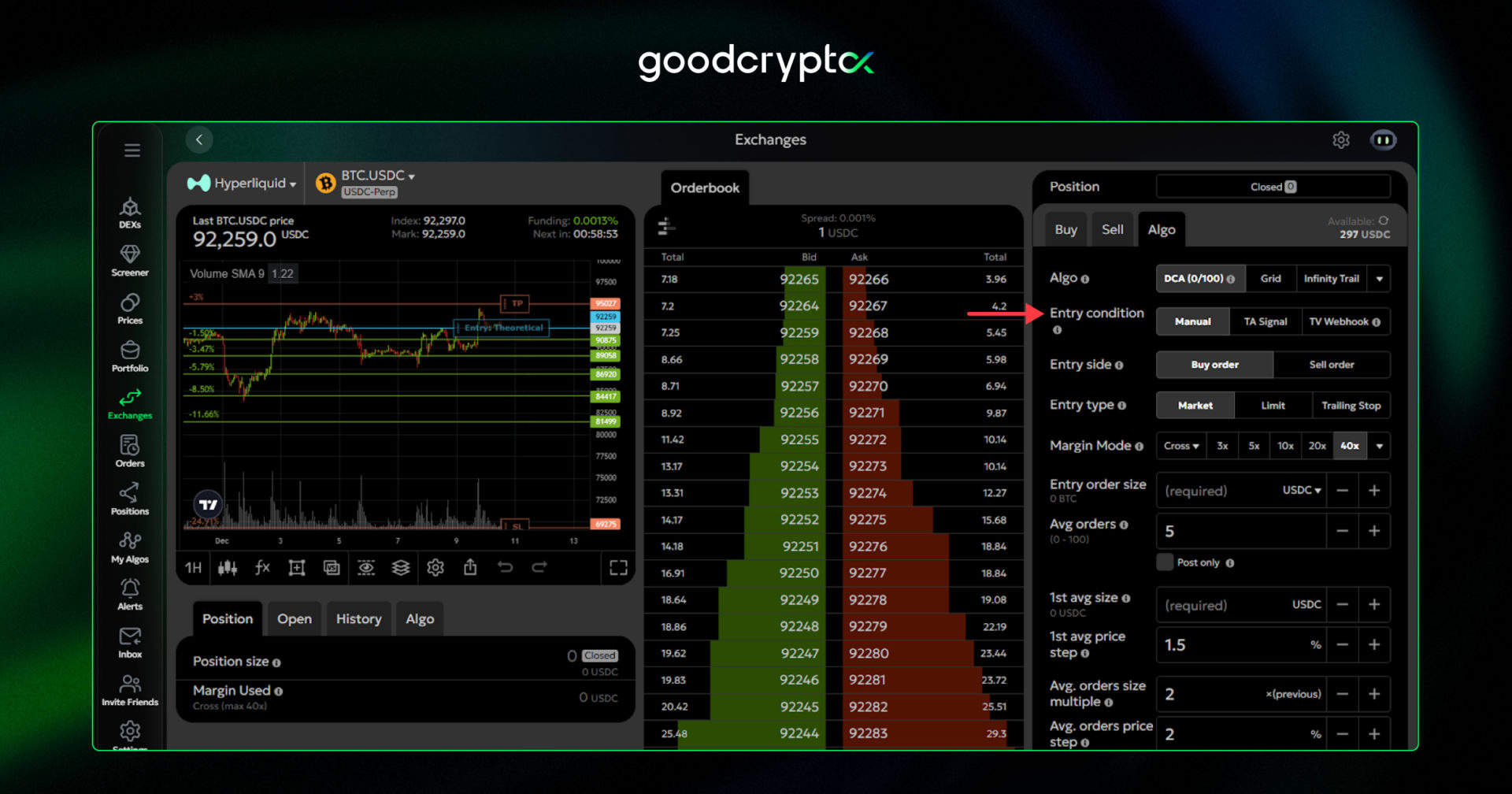
First, choose among Manual, TA Signal, and TradingView Webhook modes, each designed for different strategies:
Manual Mode: The bot launches immediately.
TA Signal Mode: The bot starts trading only after receiving a built-in buy or sell signal from the goodcryptoX app. Signals include buy/strong buy or sell/strong sell, depending on whether you’re running a long or short DCA bot.
TradingView Webhook Mode: Similar to TA Signal mode, but it responds to your custom TradingView alerts instead of goodcryptoX signals. To use this, create a webhook on TradingView, select “TradingView Webhook” mode for the DCA bot, and enter the webhook URL into the specified field.
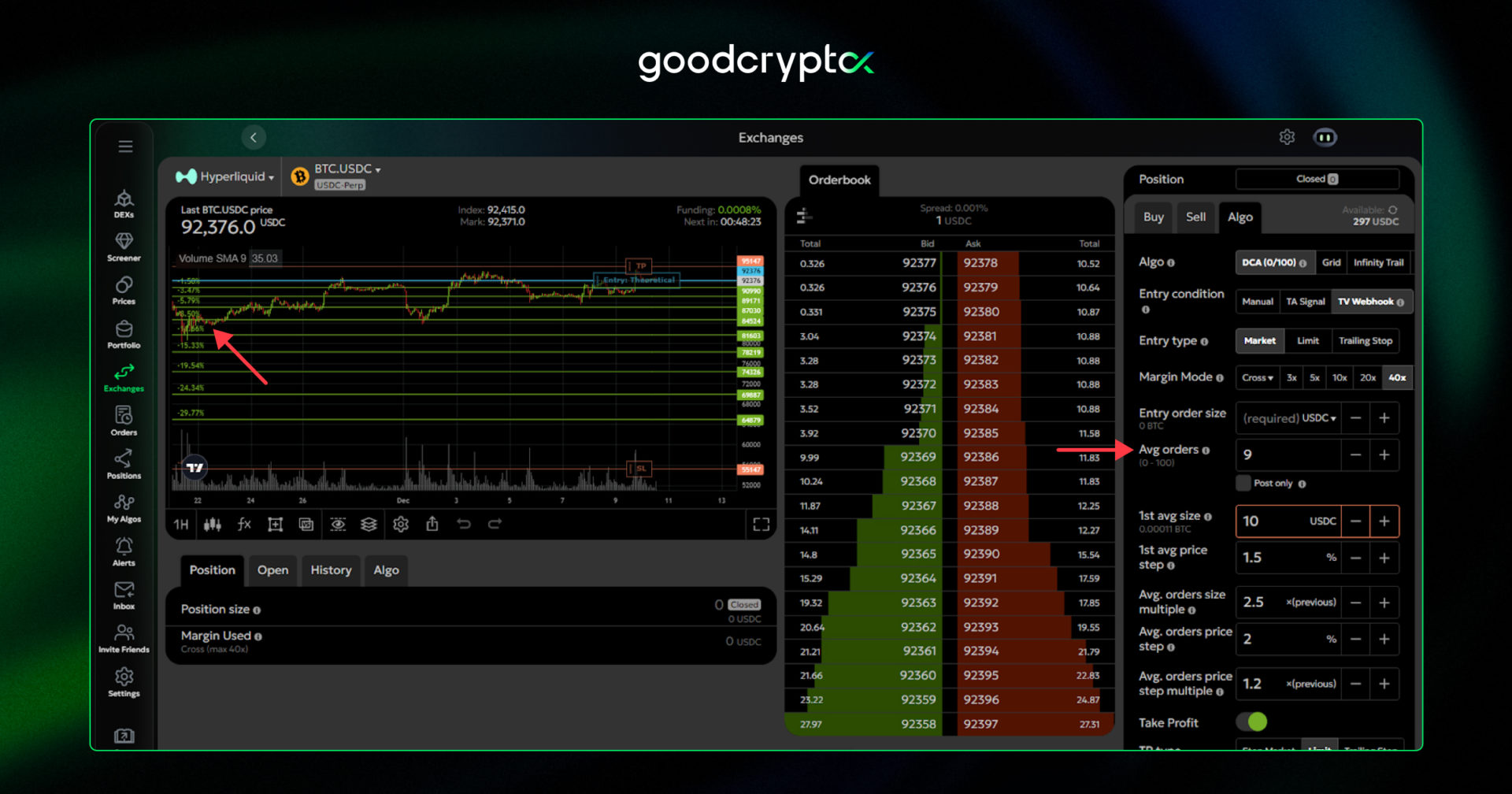
Another notable setting of the DCA bot is the type of entry order. It can be a market order to enter immediately, a limit order to wait for a specific price, or a trailing order that follows the price until it moves in your favor, helping you achieve a better entry price for your bot.Next is the number of averaging orders, which determines how many orders will be used to average your initial position. The greater the number of averaging orders, the wider the price range your DCA bot can cover, and the more effective it will be if the price moves according to your expectations. On the other hand, increasing the number of averaging orders requires more funds for each additional order, which also impacts your final ROI.
Next, there are the 1st average order size and the average order size multiplier. Together with the entry order size, these settings determine how much you will add to your position with the first averaging order and how much this amount will increase with each subsequent order.
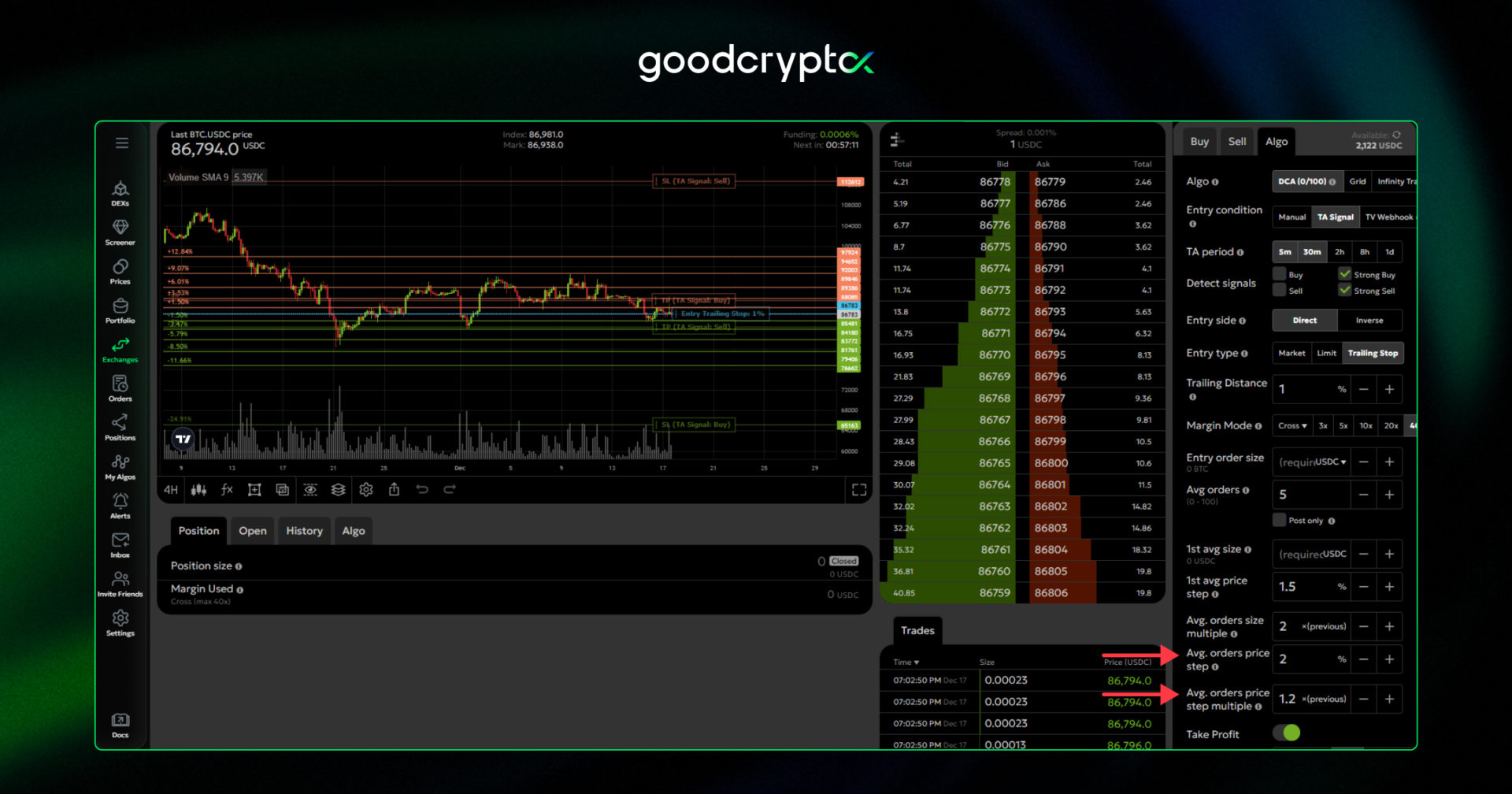
The larger the averaging order size and multiplier, the more effectively you can average down your position, reducing the distance the price needs to move to reach your Take Profit target. However, just like the number of averaging orders, increasing these settings requires significantly more margin, even with small adjustments.Additionally, there are the averaging order step and the step multiplier. The step defines the distance between consecutive averaging orders, while the multiplier determines how much this distance increases with each new order. These settings, similar to the number of averaging orders, allow you to cover a wider price range. The larger the price range covered, the higher your chances of hitting your TP target, even if the price is falling.
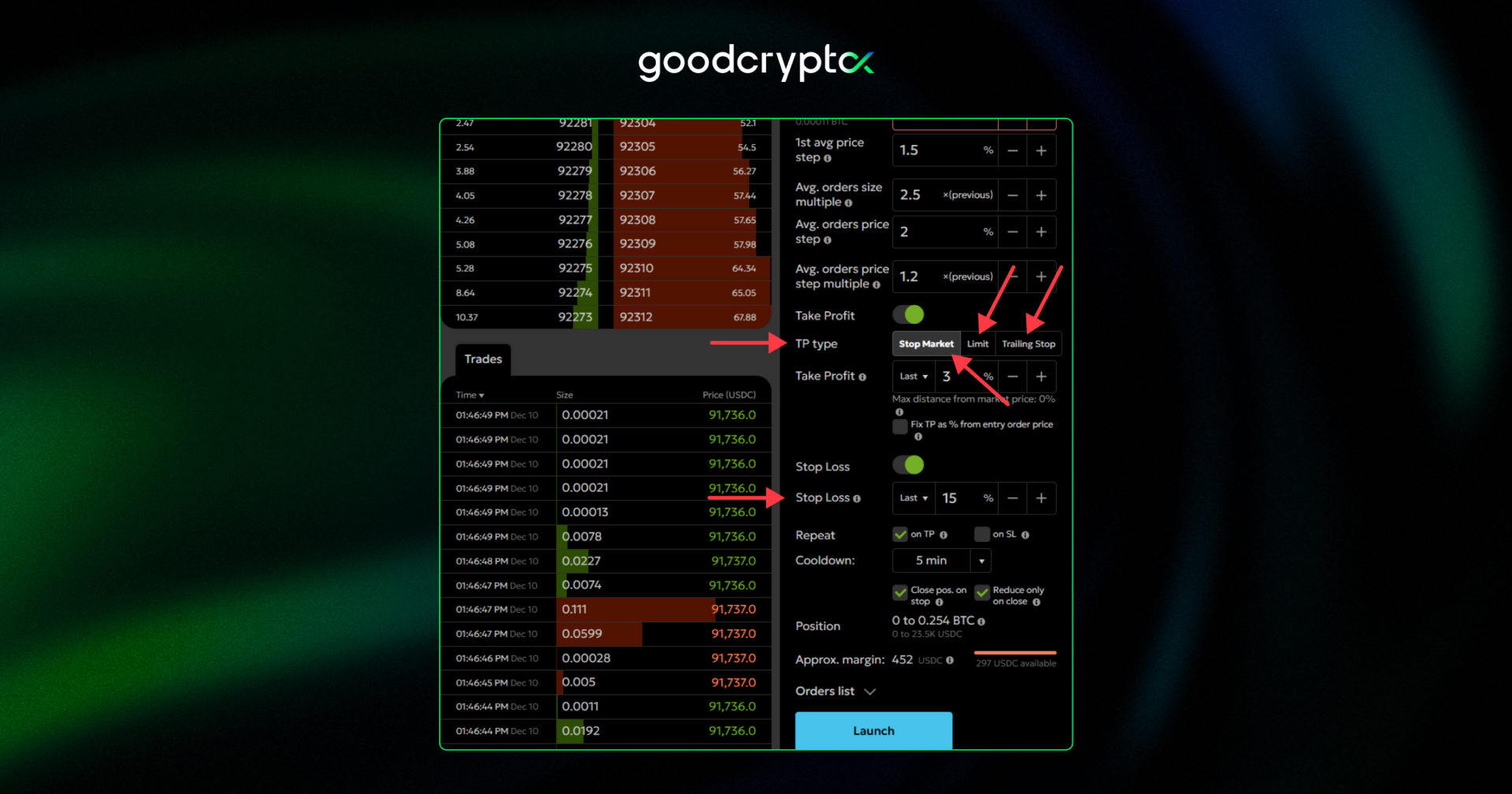
Finally, it’s important to highlight Take Profit and Stop Loss orders. On goodcryptoX, you can set both TP and SL for your DCA bot. The Take Profit order triggers based on the bot’s average price, while the Stop Loss is placed below the last averaging order. These orders can be configured in three ways:
Stop Market: Exit the position immediately at the current market price.
Limit: Exit at a specific price.
Hyperliquid trailing Stop Loss & Take Profit: Exit only when the price reverses from a favorable trend, allowing you to maximize gains if the price continues moving in your favor.
Additionally, for both Take Profit and Stop Loss orders, you can choose whether the bot should restart trading after a TP or SL is hit. We recommend enabling the bot to relaunch after a TP is reached. This allows your DCA bot to operate as a fully automated money-making system, continuously restarting after each successful trade.
That’s all for the DCA bot setup part. Want more insights on DCA bots and ready-made setups? Join our dedicated Telegram channel for expert tips and bot strategies.
#2: launching Hyperliquid Grid trading bot
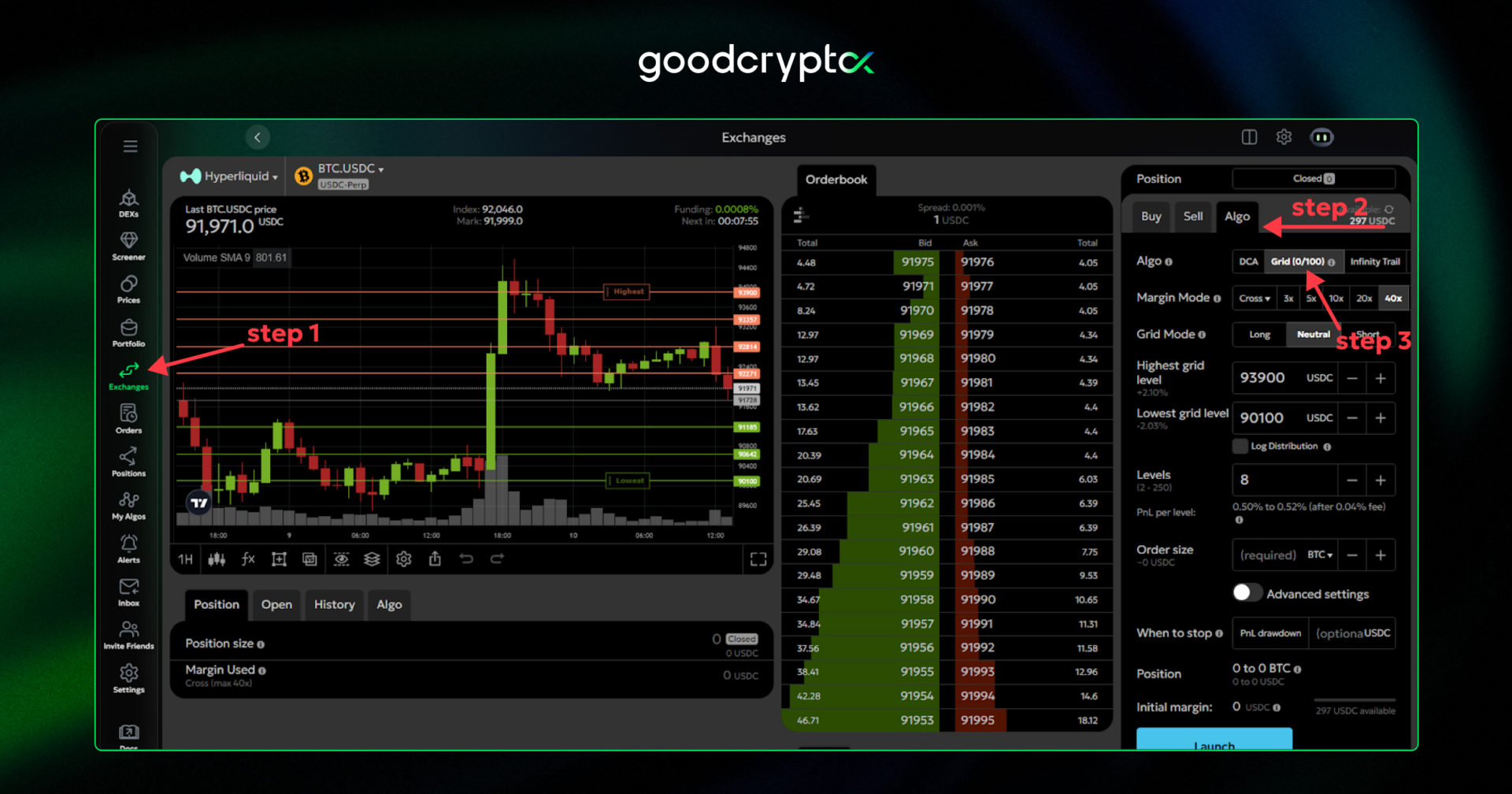
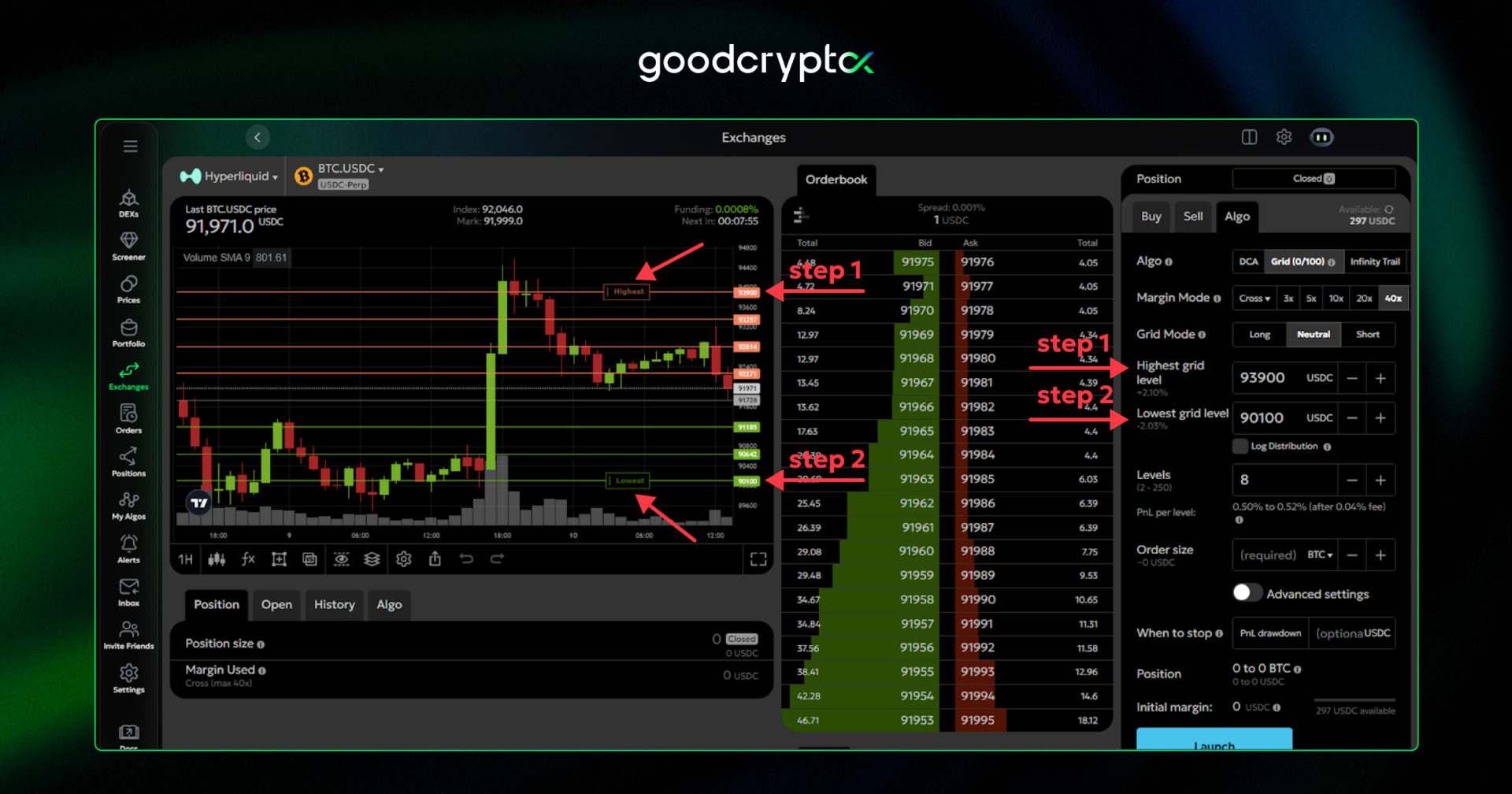
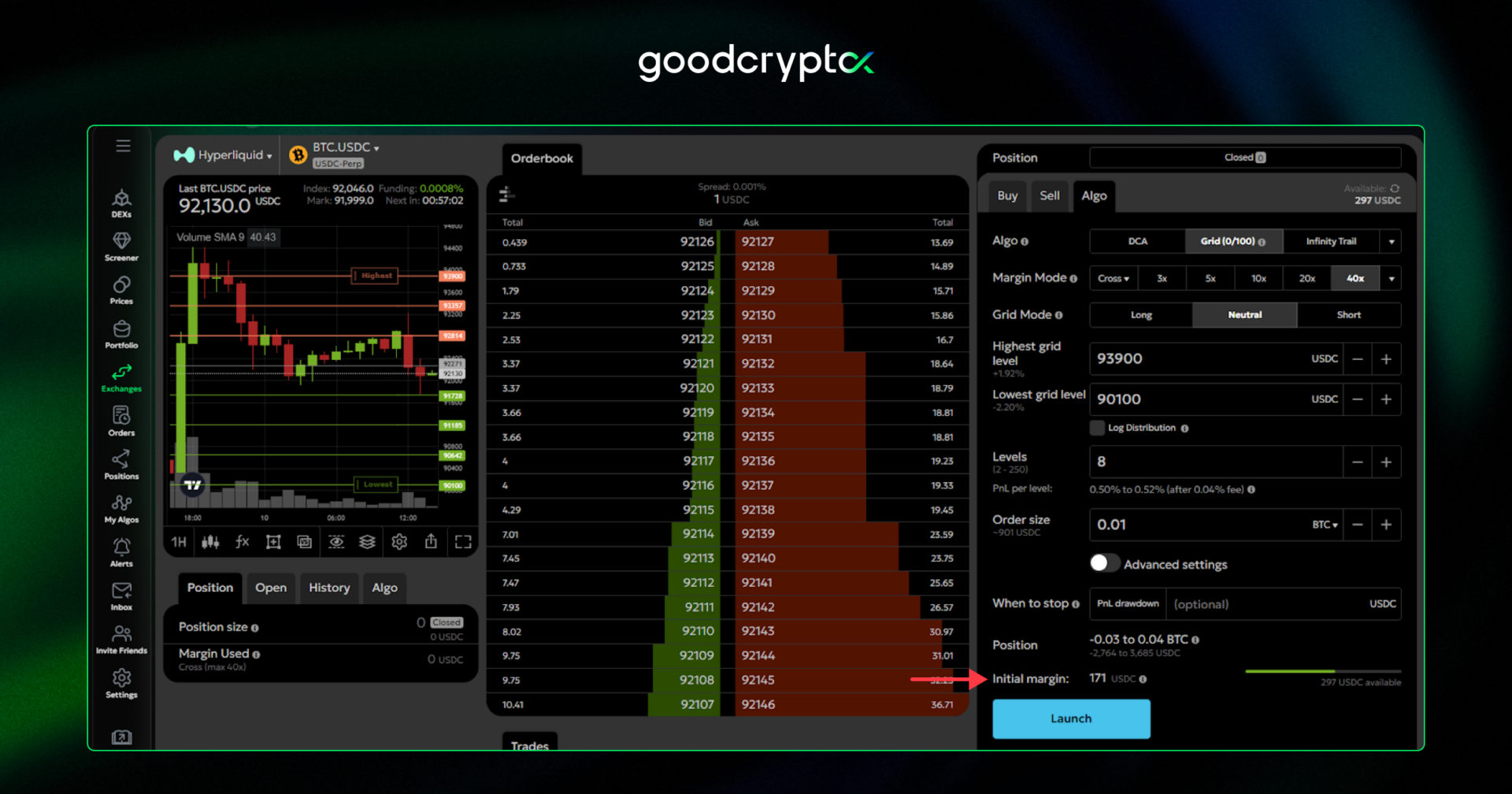
To set up a Hyperliquid Grid trading bot, go to the Algo section and select Grid Bot. For the Grid bot, the most crucial step for you is to define the potential market price range in the settings and choose the mode for your bot. The longer the price stays in the selected range, the more profits the bot generates, constantly buying and selling tokens on preset grid levels.
Our Hyperliquid Grid bot can operate in three main modes:
Neutral Grid: In this mode, the bot places Sell orders above the market price and Buy orders below it, aiming to capitalize on price fluctuations within a specific range. Use Neutral if you expect the price to remain relatively stable.
Short Grid: The bot initially places Sell orders on all levels and gradually reaches a neutral position as the price drops below the grid. Choose Short if you anticipate a bearish market, allowing the bot to profit from downward price movements while still earning from price bounces.
Long Grid: This works opposite to Short. The bot starts with Buy orders on all levels, selling as the price rises above the grid to eventually reach a neutral position. Select Long if you expect upward momentum, capturing gains from both rising prices and intermediate bounces between key support and resistance levels.One more important point to note when running a Grid bot, especially on futures, is to keep extra funds in reserve. This helps cover potential price movements outside your grid range and reduces the risk of liquidation. goodcryptoX shows the amount of funds required to cover all grid levels when setting up the bot, but the actual amount of $USDT needed if the price reaches your stop-loss level may differ significantly.
#3: launching Hyperliquid trailing stop bot
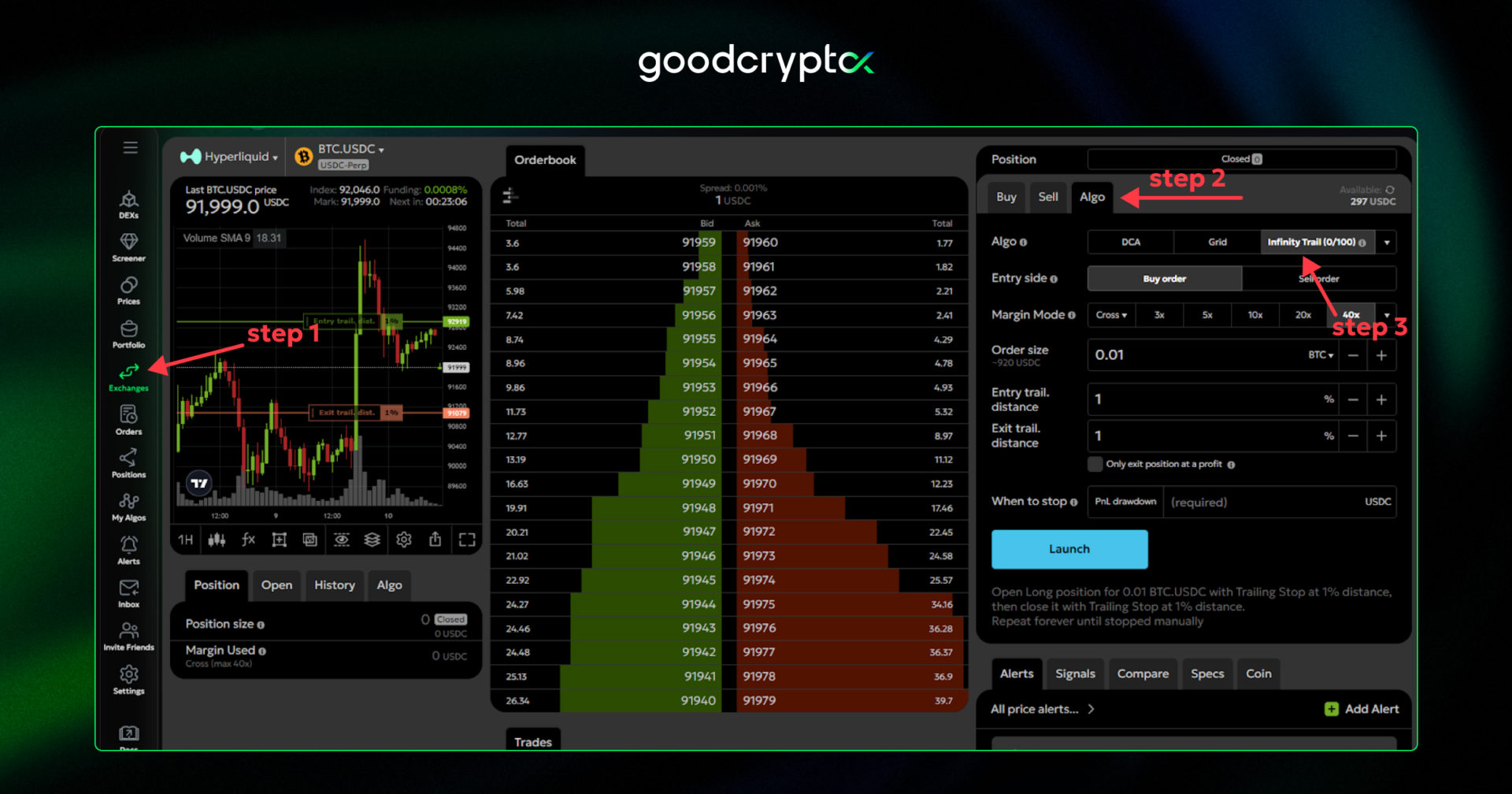
For the Hyperliquid Infinity Trailing Bot, the basic setup process is the same: Exchanges > Algo > Infinity Trail bot. Although the Infinity Trailing Bot setup appears simpler than the previous bots, there are still important details to consider.
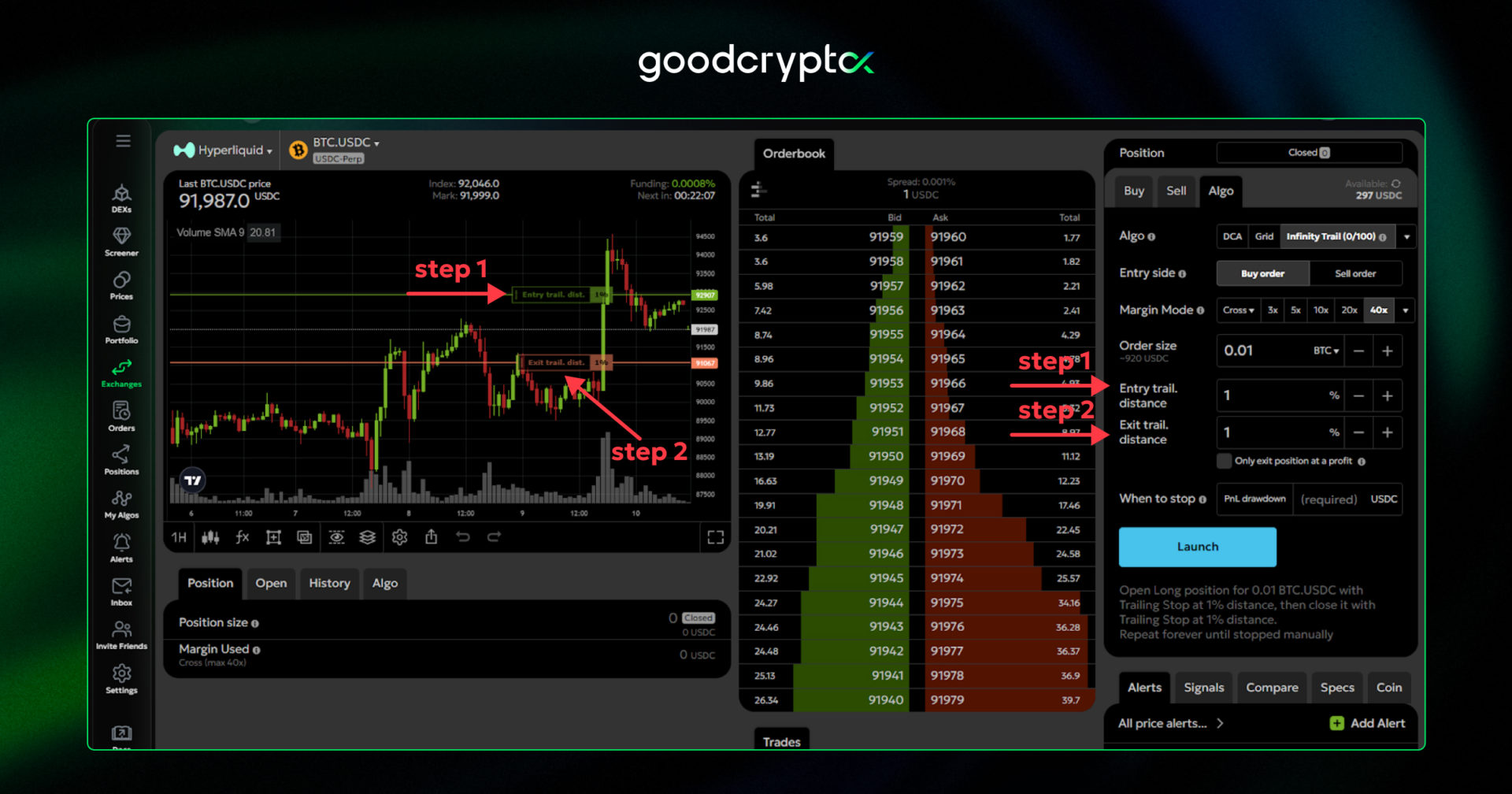
First, you need to understand the potential volatility of the market you’re entering.The Infinity Bot uses trailing stop Hyperliquid orders to enter and exit trades. Setting an appropriate trailing distance is crucial:
If the trailing distance is too tight, the bot may trigger during minor “fake” retracements, resulting in unnecessary entries.
If the distance is too wide, you may pay a higher price to confirm a retracement before the bot enters the trade.
Choosing the correct trailing distance based on market volatility improves your bot’s accuracy and can lead to higher PnL.
managing multiple Hyperliquid DEX accounts
Apart from trading bot functionality, goodcryptoX also allows you to simplify trading on Hyperliquid by managing multiple accounts in a single place. With our app, you can connect multiple Hyperliquid accounts, following the same setup flow described earlier.This gives you the opportunity to trade on Hyperliquid similarly to Hyperliquid sub accounts, but allows you to distribute funds across multiple Hyperliquid wallets. Why do this?
First, it’s simple, since Hyperliquid doesn’t require KYC verification. Second, you can create accounts for different purposes, for example, one for DCA trading and another for Grid trading, helping to avoid unnecessary liquidation of your entire portfolio if something goes wrong. Finally, managing multiple accounts also enables you to potentially participate in the potential Hyperliquid Season 2 airdrop from multiple accounts and earn a base reward.
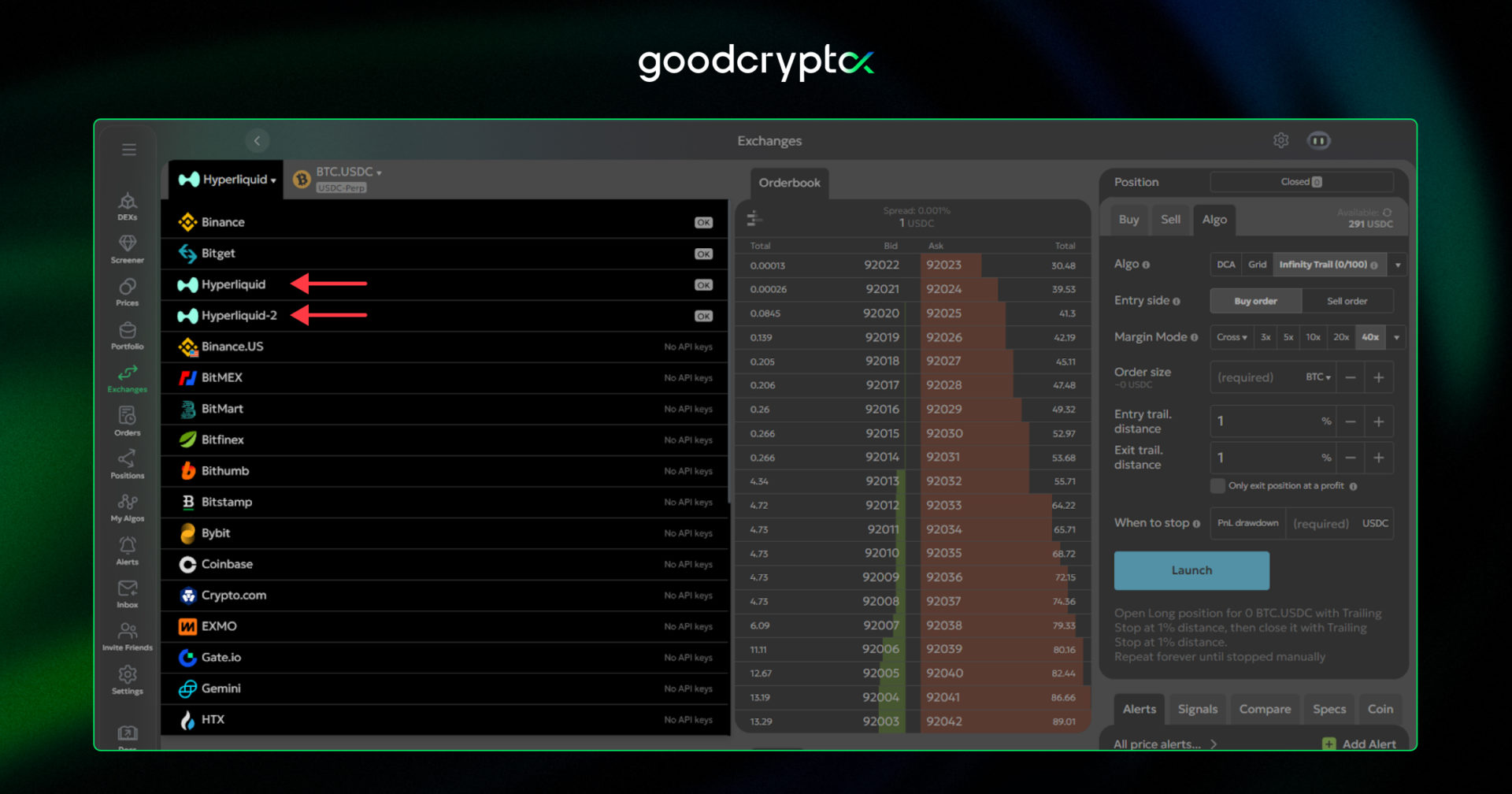
Managing multiple accounts is simple. When selecting an account or exchange, you can easily find another account in the required section and switch to it within seconds. Once done, you can execute the same trading strategies and use the same tools as you would with your main account.
conclusion: how to trade with Hyperliquid bots by goodcryptoX?
As you can see, goodcryptoX provides one of the most powerful toolsets for trading on the Hyperliquid perp DEX market. You can customize these bots to match any market conditions and trading styles, unlocking the full potential of automated trading:
Scalp market volatility with the Hyperliquid DCA bot using the “repeat on TP/SL” option. Boost profitability by improving entry prices with trailing entry orders and TradingView webhooks.
Generate profits in low-volatility conditions by using the Grid bot during sideways markets, earning from price bounces between key support and resistance levels.
Enter trends at the right moment and exit when momentum fades using the Infinity еrailing bot.
All of these PRO trading features are currently available exclusively on goodcryptoX, and what’s even better, they’re completely FREE. Open goodcryptoX app on the Web, Android, or iOS, connect your Hyperliquid account following our dedicated video guide, and launch your first Hyperliquid trading bot today.
Read this step-by-step guide by goodcryptoX on how to start trading on the Hyperliquid and launch your first Hyperliquid trading bot in just a few minutes.